Estimating Uncensored Video API Costs Per Minute
Developers building long-form video pipelines often struggle to predict costs when using uncensored AI models. This guide provides a clear method to estimate expenses based on token consumption, ensuring you stay within budget without unexpected charges.
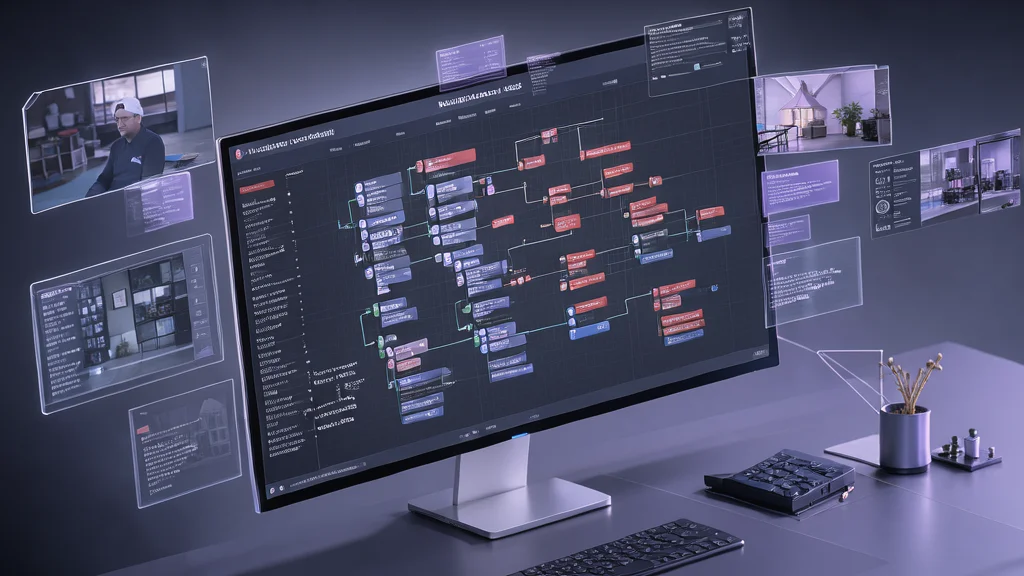
Understanding the Text-Only Nature of Our API
When building an uncensored video API pipeline, it is important to distinguish between the text generation layer and the video rendering layer. Our service provides a hosted, OpenAI-compatible chat-completions API that serves one uncensored open-weight text model. The model ID you must send is uncensored. This means the API accepts text input and returns text output. It does not generate images, audio, or video directly. There are no embeddings, OCR, fine-tuning, or model routing features available. The base URL for all requests is https://api.unfilteredvideo.cc/v1. You will use this text API to generate scripts, scene descriptions, and dialogue for your video projects.
Because the API is text-only, your total project cost will include both the text generation tokens and the separate costs for the video rendering tools you connect to it. Our API handles the creative writing and structural planning. You can use features like streaming over SSE, function calling, and JSON mode to structure the output for your video pipeline. The context window is 100,000 tokens, allowing for long-form scripts and detailed scene descriptions in a single request. This large context window helps maintain consistency in your video narrative without needing to split the text into small, disconnected chunks.
It is important to note that our API does not have an SLA, certifications like SOC2 or HIPAA, or on-prem deployment options. We do not claim to be an official partner of any other vendor. When you integrate our text API with video tools, you are responsible for managing the video rendering costs separately. The text API provides the raw material for your video, but it does not render the final product. This separation allows you to choose the best video tools for your needs while relying on our uncensored text model for content generation.
The uncensored nature of the model means it does not refuse lawful adult, fictional, security-research, or controversial topics. However, there is a hard content limit: requests involving sexual content with minors will be refused. This limit applies to the text output as well. When designing your video pipeline, ensure that your prompts and scripts align with these content guidelines to avoid unexpected refusals. The model is designed to handle a wide range of creative inputs, making it suitable for diverse video projects.
How to Calculate Token Usage for Scripts
To estimate costs for script generation, you need to count the tokens in your input prompt and the output response. The pricing structure is $0.15 per 1 million input tokens and $0.50 per 1 million output tokens. Errors and refusals are free, so you only pay for actual token usage. To calculate the cost, divide the token count by 1,000,000 and multiply by the respective per-million price. For example, if a script generation request uses 50,000 input tokens and 10,000 output tokens, the cost is calculated as follows: (50,000 / 1,000,000) * $0.15 for input and (10,000 / 1,000,000) * $0.50 for output.
When generating long-form scripts, the input tokens will include your initial prompt, any system instructions, and the context from previous turns if you are using the 100,000 token context window. The output tokens will include the generated script text. It is essential to monitor the token usage closely, as long scripts can accumulate tokens quickly. You can use the streaming feature to receive the output in chunks, which helps in managing the response size and potentially reducing latency.
Function calling and JSON mode can help structure the output for your video pipeline. By defining tools and using JSON mode, you can ensure that the output is in a format that is easy to parse and integrate with your video rendering tools. This reduces the need for additional text processing, which can save on tokens. However, the tool definitions and JSON schema will also consume tokens, so include them in your cost estimation.
Parameters like temperature, top_p, stop, seed, and penalties can affect the length and quality of the output. A higher temperature might lead to more creative but potentially longer responses, while a lower temperature might produce more concise text. Experiment with these parameters to find the right balance for your script generation needs. Remember that the cost is based on the actual tokens used, so optimizing the output length can help control expenses.
Budgeting for Scene Descriptions and Dialogue
Scene descriptions and dialogue are critical components of any video project. When using our API to generate these elements, you need to account for the tokens used in both the input and output. The input tokens will include the scene context, character details, and any specific instructions for the description style. The output tokens will include the generated scene description and dialogue. Since the context window is 100,000 tokens, you can include extensive context in your prompts without worrying about hitting the limit too quickly.
To estimate the cost, count the tokens in your scene description prompt and the resulting output. Use the formula (tokens divided by 1,000,000 times the per-million price) to calculate the expense. For instance, if a scene description request uses 20,000 input tokens and 5,000 output tokens, the cost is (20,000 / 1,000,000) * $0.15 for input and (5,000 / 1,000,000) * $0.50 for output. This method ensures that you have a clear understanding of the cost for each scene.
Dialogue generation can be more token-intensive, especially if you are generating multiple lines of dialogue for different characters. Each line of dialogue adds to the output token count. It is important to keep the dialogue concise and relevant to avoid unnecessary token usage. You can use the stop parameter to limit the length of the dialogue output, which can help control costs.
When integrating scene descriptions and dialogue into your video pipeline, consider the total token usage across all scenes. If you are generating a long video with many scenes, the cumulative token usage can add up. Plan your budget accordingly, and consider using the prepaid credit system to manage your expenses. The prepaid credit never expires, so you can top up as needed without worrying about losing unused credits.
When Our API Is Not the Right Choice
While our uncensored text API is powerful for script and scene generation, it may not be the right choice for all video projects. If your project requires real-time video generation, image synthesis, or audio processing, our API alone will not suffice. Our service is text-only, so you will need to integrate it with other tools for those capabilities. For example, if you need to generate video clips directly from text prompts, you might need a dedicated video generation API in addition to our text API.
Additionally, if you require high availability with specific SLA guarantees or need on-prem deployment for data sovereignty, our API might not meet those needs. We do not offer SLA percentages, certifications, or on-prem options. If these features are critical to your project, you may need to consider other providers. However, for most indie builders and developers focused on creative content generation, our API provides a flexible and cost-effective solution.
Another consideration is the payment method. Our API accepts only crypto payments, specifically USDT on TRC20 or USDC on Base. If you prefer to pay with credit cards, PayPal, or bank transfers, our API might not be the best fit. The top-up range is from $20 to $500, with bonus credit available for larger amounts. This crypto-only policy is a key factor to consider when deciding if our API aligns with your financial workflow.
Finally, if you need a model that supports multiple languages or has specific benchmark scores for certain tasks, our API might not be the optimal choice. We serve one uncensored open-weight text model, and we do not claim benchmark scores. If your project requires a specific model with proven performance in certain areas, you may need to evaluate other options. However, for uncensored text generation, our API offers a unique and versatile solution.
Addressing Community Questions on Automation
Developers in communities like r/n8n and r/AI_Agents often discuss automating video pipelines using tools like n8n, Airtable, and various AI models. A common theme in these discussions is the need for experts to build clean and efficient workflows that integrate multiple APIs. Users are looking for ways to automate the generation of scripts, scene descriptions, and video clips using a combination of text and video AI tools. Our API can be a key component in these workflows, providing the uncensored text generation needed for creative content.
When integrating our API into an n8n workflow, you can use the POST /v1/chat/completions endpoint to generate text content. The API supports streaming over SSE, which can be useful for real-time updates in your automation pipeline. You can also use function calling to trigger specific actions in your workflow based on the generated text. For example, you might use function calling to trigger a video generation tool when a specific scene description is generated.
Users in these communities also discuss the importance of managing API keys and costs. Our API provides a key immediately upon signup, and you can manage your credit usage through the prepaid system. The key limits are 300 requests per minute, which is generally sufficient for most automation workflows. If you need higher throughput, you can monitor your usage and adjust your workflow accordingly.
Another common topic is the use of local models versus cloud APIs. Some users prefer to run models locally using tools like ComfyUI, while others prefer the convenience of cloud APIs. Our API offers the convenience of a hosted service with no need for local hardware. However, if you prefer a fully local workflow, you might need to integrate our API with local models for text generation. This hybrid approach can provide the best of both worlds, combining the flexibility of local models with the ease of cloud APIs.
Managing Credit and Payment Methods
Our API uses a prepaid credit system, which means you pay for the tokens you use. The pricing is $0.15 per 1 million input tokens and $0.50 per 1 million output tokens. Errors and refusals are free, so you only pay for actual token usage. The top-up range is from $20 to $500, and you can receive bonus credit for larger amounts. The bonus credit ranges from +5% to +15%, depending on the amount you top up. This bonus credit can help you get more value for your money.
Payment is accepted only in crypto, specifically USDT on TRC20 or USDC on Base. You cannot pay with credit cards, PayPal, or bank transfers. This crypto-only policy is a key feature of our service. When you top up your credit, the amount is added to your account immediately, and the credit never expires. This means you can use your credit at any time, without worrying about expiration dates.
New accounts receive $0.50 of trial credit, which allows you to test the API without needing to provide a payment method. This trial credit is a great way to explore the API and estimate costs for your projects. You can use the trial credit to generate scripts, scene descriptions, and dialogue, and see how the token usage adds up. This helps you plan your budget before committing to a larger top-up.
It is important to monitor your credit usage to avoid running out of funds. You can check your balance and usage through the API dashboard. If you need to top up, you can do so at any time, as long as the amount is between $20 and $500. The top-up process is straightforward, and you can use the bonus credit to maximize your value. By managing your credit effectively, you can ensure that your video pipeline runs smoothly without unexpected interruptions.
Integrating with Video Generation Tools
While our API generates text, integrating it with video generation tools is essential for creating complete video projects. You can use the text output from our API as input for video generation tools. For example, you can send the generated scene descriptions and dialogue to a video generation API to create visual content. This integration allows you to create a smooth workflow where text generation and video rendering are connected.
When integrating with video tools, consider the format of the output from our API. Using JSON mode and function calling can help structure the output in a way that is easy for video tools to consume. You can define tools that trigger specific actions in your video pipeline, such as generating a video clip for a specific scene. This automation reduces the need for manual intervention and speeds up the production process.
It is also important to consider the latency of your workflow. Our API supports streaming over SSE, which can help reduce the perceived latency for users. However, the overall latency of your pipeline will depend on the speed of the video generation tools you use. Optimize your workflow by parallelizing tasks where possible, such as generating multiple scene descriptions simultaneously.
Finally, test your integration thoroughly to ensure that the text output from our API is compatible with your video tools. Check for any formatting issues or missing data that could affect the video generation. By carefully planning and testing your integration, you can create a reliable and efficient video pipeline that uses the power of our uncensored text API.
Frequently asked questions
How do I calculate the cost of a script generation request?
Count the input and output tokens, then use the formula (tokens divided by 1,000,000 times the per-million price). Input tokens cost $0.15 per million, and output tokens cost $0.50 per million.
Can I pay with a credit card?
No, we only accept crypto payments. You can top up with USDT on TRC20 or USDC on Base. Credit cards, PayPal, and bank transfers are not supported.
Does the API generate video directly?
No, the API is text-only. It generates scripts, scene descriptions, and dialogue. You need to integrate it with a video generation tool to create the final video.
What is the context window size?
The context window is 100,000 tokens, which includes both the prompt and the completion. This allows for long-form content generation in a single request.
